Skip to content
Proposal intelligence for interior design studios

Stop sending interior design proposals into the dark.

Create your concept deck, send it as a branded tracked HTML client link, and know when your client views it.

Follow up with signal, not guesswork.

Studio plan: $18/month · Approximately 25 tracked decks
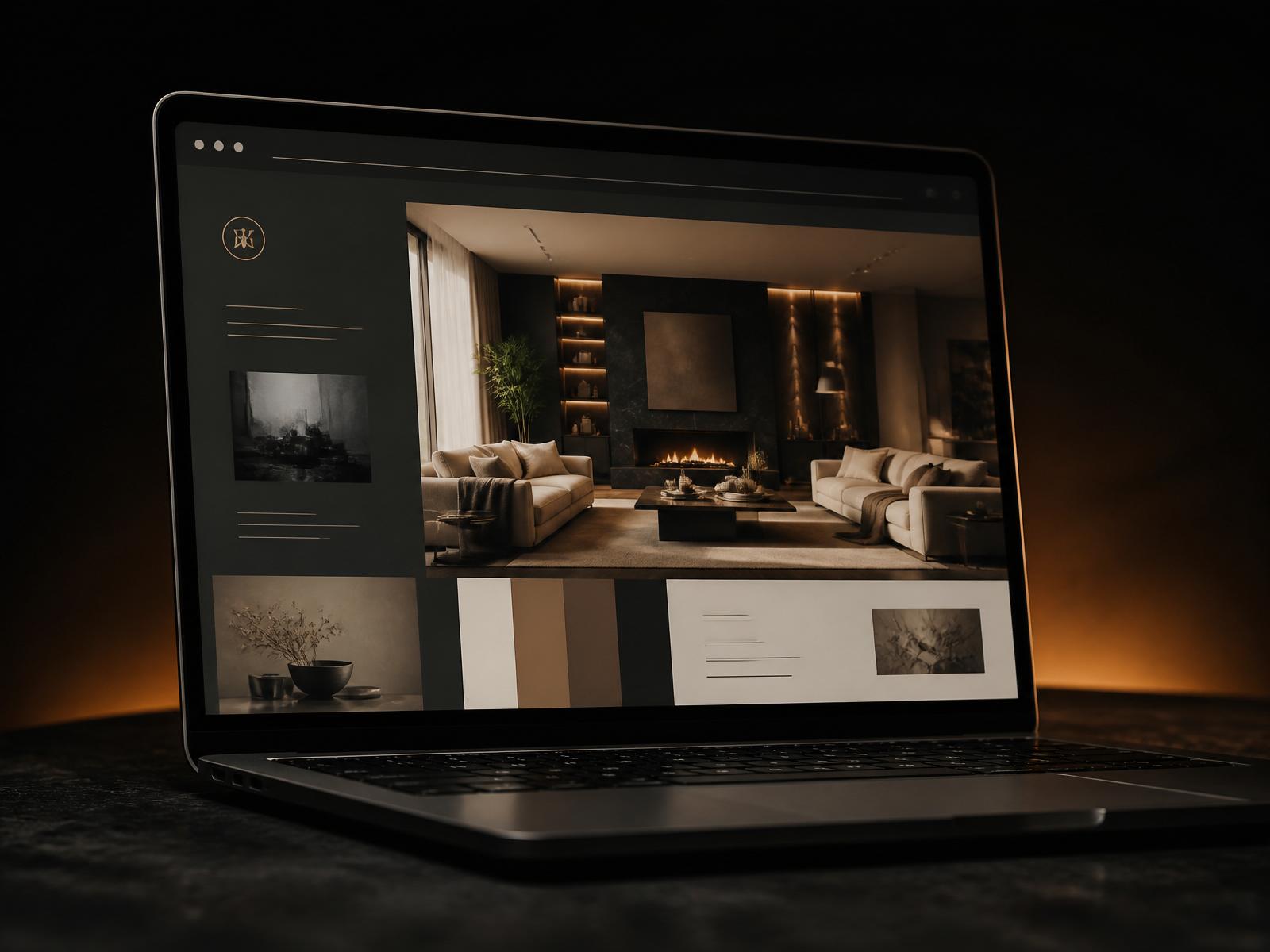
convertprojects.com/share/villa-mercer-street
Mercer Studio
Concept deck
Villa Concept · Warm Minimalism
Section 03 · Direction
Villa Concept · Warm Minimalism
Viewed 3 times · Last opened today, 10:42 AM
Proposal viewed
Villa Concept Presentation
Opened today at 10:42 AM
Tracked concept proposals for professional studiosScroll to see what happens after Send ↓
Deck format
Tracked HTML
Client signal
View tracking
Studio identity
Your branding
Built for
Design studios
How it works

One workflow from the first client brief to the next serious conversation.

01

Create the concept

Turn a guided interior-design brief into a structured concept presentation.

Capture the project type, mood, goals, references, materials, furniture intent, lighting direction, and next step.

Brief · Direction · Renders · Palette
02

Present as your studio

Apply the studio logo, name, colour, project details, and client-facing presentation structure.

Review and edit every deck before you publish. The client sees a professional studio presentation, not a generic AI output.

Brand kit · Project identity · Client-ready format
03

Send a tracked link

Share the proposal as a browser-based HTML experience instead of a static PDF attachment.

The client opens one clean link with no download, oversized attachment, or disconnected folder.

HTML link · Browser experience · Easy sharing
04

Know when to follow up

See when your client opens the proposal, with view count and last-opened activity.

Stop opening every follow-up with, "Just checking whether you had a chance to review."

Viewed · Last opened · Follow-up signal
Sample decks

A presentation built to be viewed, understood, and followed up.

Open the live sample deck
Anatomy of a deck

Eight sections, one branded HTML.

Every deck follows the same client-ready structure so proposals stay consistent across sectors and studios.

  1. 01
    Brief
  2. 02
    Concept
  3. 03
    6 renders
  4. 04
    Palette
  5. 05
    Mood
  6. 06
    Furniture
  7. 07
    Narrative
  8. 08
    Next steps
Tracking

Clear stages.
No blind follow-up.

Convert Projects structures the first concept presentation and gives the studio visibility after it is sent. See when your client opens the proposal.

Open a sample workflow
"The strongest feature is not another AI-generated mood board. It is knowing that the client has opened the proposal."

Convert Projects turns an interior design presentation into a trackable sales signal.

The Convert Projects principleCreate faster. Send professionally. Follow up intelligently.
Activity

Proposal activity index

(04)
Proposal sent
Tracked HTML link created
Delivery
Ready to view
Proposal viewed
Client opened the deck
Engagement
Viewed
Last opened
Most recent client activity
Timing
Today, 10:42 AM
Concept interaction
Supported concept click or selection activity
Interest
Active
Simple studio pricing

One plan.
Top up only when needed.

Studio covers a normal month of pitching. A busy month does not require a plan change.

Monthly studio plan

Studio

$18/month

Approximately 25 complete project decks each month. Cancel anytime.

  • 25 monthly credits
  • 1 credit equals 1 client-ready deck
  • Six concept renders per project
  • Complete eight-section HTML deck
  • Residential, retail, office, F&B, hospitality, and wellness sectors
  • Nine style directions
  • Studio logo and brand colours
  • Tracked HTML share link
  • See when your client opens the proposal
  • View count and last-opened time
  • Guided brief
  • Custom designer instructions
Start with Studio
For heavier proposal months

Add deck credits

Add-on · 5 decks
$9
$1.80 per deck

Top-up credits add to the remaining monthly balance. No subscription change is required.

Coming soon

Upload your own deck

Already create presentations in Canva, PowerPoint, Keynote, InDesign, Figma, ChatGPT, or a studio template? The planned upload-to-track workflow will let studios retain their existing creation process and use Convert Projects for branded HTML delivery and proposal tracking.

Why studios use Convert Projects

The problems begin before and after the presentation.

(03)
Studio capacity

Protect design time from repetitive proposal preparation

Turn a structured brief into a client-ready deck. Less repetitive presentation work between projects.

Proposal visibility

Stop wondering whether the client opened the deck

Proposal sent, proposal viewed. Know before sending another blind follow-up.

Client momentum

Continue the conversation while interest is active

The view signal points to a relevant follow-up and the next client conversation.

Questions before starting

A few direct answers.

No. Convert Projects creates professional concept presentations, but its important commercial value is what happens after the presentation is sent. Each deck is delivered through a tracked HTML link, giving the studio visibility into client activity.

You see when your client opens the proposal in the dashboard, with view count, last-opened time, and supported activity.

Yes. Every generated deck can be reviewed and edited before you publish it. Nothing is shared with a client until you create the tracked link.

A PDF confirms that it was attached to an email. It does not normally tell the studio whether the client opened or reviewed it. Convert Projects delivers the proposal as a trackable browser-based experience.

Yes. The studio logo, name, tagline, and brand colour can be saved in the Brand Kit and applied to client-facing decks.

External deck upload is part of the planned upload-to-track workflow. Until it is live, users create their tracked concept decks inside Convert Projects.

No. Convert Projects is for early-stage concept presentation and client communication. It does not replace technical drawings, specifications, BOQs, procurement schedules, or construction documentation.

No. Convert Projects is a professional workflow tool for interior designers, decorators, staging consultants, and design studios.

The Studio plan includes 25 monthly credits, approximately 25 complete decks, six concept renders per project, the eight-section HTML deck, multiple sectors and styles, studio branding, and tracked-link activity.

Ready to stop following up in the dark?

Send the deck.
Know when it is viewed.

Convert Projects helps interior design studios move from proposal sent to client viewed to the next serious conversation.
Built for professional interior designers and small studios.Studio plan: $18/month. Cancel anytime.